
Wondershare DVD to Flash Converter is an excellent utility for extracting the content of DVD discs and converting them into FLV and SWF videos, screensavers, or EXE files. It has a simple and intuitive user interface that makes it easy to use. The software also offers a range of useful editing tools, such as cropping, effects, and contrast, brightness, and saturation adjustments. Additionally, you can add background music to your videos. All in all, Wondershare DVD to Flash Converter is a great choice for anyone looking for a reliable and easy-to-use DVD to Flash converter.
Wondershare DVD to Flash Converter is an application that lets you extract DVD movies to FLV, SWF, screen saver or exe files with various styles of Flash players, Flash Templates, video effects and background music,. It also helps you publish your output videos on the web.
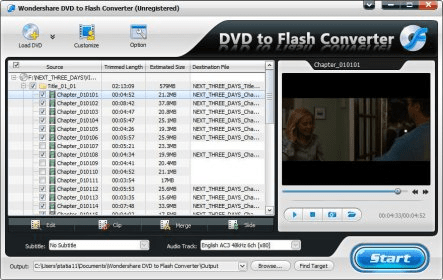
Its interface is graphic and easy to use, you just have to follow five steps:
1. Import DVD video, select start and end points to extract.
2. Edit movie contrast, brightness, saturation, add effects (gray, emboss, negative, old film), crop movie screen.
3. Select encoder options: frame rate, aspect ratio, bit rate, resolution, and audio settings.
4. Choose a template for the output file.
5. Publish videos on the web ( host, user, pasword, etc).
The program is very intuitive, and offers all the features expected in a ripping tool, with additional tools for flash outputs. If you want to test it, a free trial is available for download.
System Requirements
Microsoft Windows2000/2003/XP
Intel or AMD processor, 1GHz or above
Windows Media Player
DirectX 9.0 or above
256 MB of RAM (512 MB Recommended)





Comments